RSS
 

Archive for the ‘Hacks’ Category

WiiHD’s homebrew guide: hacking doesn’t get much easier than this

24 Jun

The folks of WiiHD, in honor of the recent Quake release for Wii homebrew, have put together an easy-to-follow guide for getting the Wii homebrew channel up and running on your little white console — plus a pre-packaged zip file with some ready-to-go ‘brew if that’s the way you like it. You’ve really got zero excuse to hold off on homebrew with as purtiful and straightforward all these fine hackers have made the process, but if you’re still unconvinced, check out the Quake video after the break.

Continue reading WiiHD’s homebrew guide: hacking doesn’t get much easier than this


office 2007 :The windows installer service cannot update one or more protected windows

17 Dec

I am trying to install Office 2007 onto a clean install of Windows XP (on a friends eee PC – it is really a sweet little laptop.. anyway), I get the error above about protected files. Here is the solution. (This may have happened because in optimizing XP down, some files were deleted).

1. From Windows install disk goto E:\I386 folder and open open (Double click) on the FP40EXT.CAB file. It should open.

(or – if you do not have the disk, find a working XP computer and go to C:\Program Files\Common Files\Microsoft Shared\web server extensions\40\bin).

2. find fp4autl.dll in the list and copy it (ctrl-c)

3. go to c:\program files\common files\microsoft shared\web server extensions\40\bin and paste it (ctrl-v)

4. Restart the 2007 office install

Viola! (thanks guys over at http://forums.techarena.in/showthread.php?t=627360)

Powered by ScribeFire.


Download a backup of wikipedia to your laptop or local lan

09 Dec

Yesterday I downloaded Wikipedia – All of 2,120,684 English articles of it are now on my hard drive.
A few stats for the curious (for the English version only):

  • Date of last edit: April 2007 (A September backup is still in progress)
  • Compressed size: 7.19 GB
  • Number of files compressed: 9
  • Number of files decompressed: millions
  • Decompressed size: ~100 GB
  • Time to download: 8 hours
  • Time to decompress: 10 hours

Why on earth would you do this?

  • The more versions of Wikipedia exist in the world, the less the chance it will get lost if something really depressing happens
  • Having a local version means you can look things up offline
  • Local versions can be used in corporate firewalls to give users access without granting full access to the web
  • Local files can be parced by scripts to create reports and study the structure, trends, and patterns
  • umm..its cool…do I really need a reason to want all the world’s collective knowledge on my laptop

Most people interested in this won’t have any problem downloading the compressed files. But few people have 100 GB free on their laptop. If you decompress the files to an external usb hard drive, it can take 30 hours per file (multiply times 9 files). Still, that is not too bad. You can buy 2.5″ laptop drives now that have 300gb and 3.5″ drives that are 1000 GB. The only problem is that decompressing the time it takes (10+ hours!)

Wikipedia is growing…fast.
Last year (Dec 2006) total compressed size of the English version was version only 5.8 GB. By April 2007 (just 4 months later) it was 7.2 GB (this is the version I downloaded). I am waiting to see what the September version will be. How fast is Wikipedia growing? It is hard to say. The last stats I found are for July 2006 but it was definitely on an exponential curve.


http://download.wikimedia.org/

http://static.wikipedia.org/downloads/December_2006/en/


Design, Paint, and Pimp out you credit card

08 Dec


About a year ago I switched over to Bank of America. Since then, when I go out to lunch or dinner with friends I’m always regretting that I have such a boring credit card. In a large group there is always multiple people with the same card. Where is the individuality? As a creative person this really bothered me. So I decided to take matters into my own hands.
Read the rest of this entry »


Google Trends API coming soon

08 Dec

Google is planning to release an application programming interface for its Google Trends program, according to Marissa Mayer, vice president of search products and user experience at Google. She also said the company would make it possible to download data from Google Trends into spreadsheets. Mayer said she couldn’t provide a time frame for either action.

Google trends has become an valuable tool for me in comparing the popularity of everything from HDTV sets, websites, software, and presidential candidates to vacation spots. I can’t wait to see what kind of mash-ups the web community creates.


Eat fruit, lose weight

08 Dec


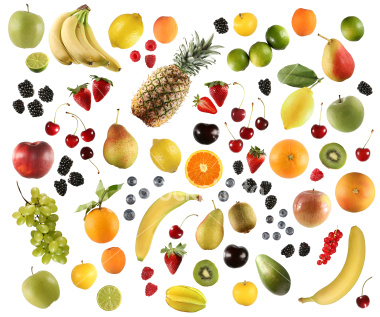
Here is a list of foods that burn more calories than they contain. Called negative calorie foods, the following 15 treats actual require more calories to digest than they provide your body in energy. You still get vitamins and plenty of fiber. Up until I saw this list, the only one I knew about was celery. However this is also highly dependent on the speed of your metabolism. Putting these foods together is called a Negative Calorie Diet. Take for example – an orange, which may contain 50 calories, but requires 75 calories to digest. So for every orange you eat, you should burn off 25 calories. This is why advocates of the Negative Calorie Diet encourage you to eat frequent healthy meals, in doing so you are actually increasing the speed of your metabolism.


The Negative Calorie diet – Against:

  • No scientific proof to confirm its effectiveness
  • Very little information surrounding diet
  • More theoretical than practical

The Negative Calorie diet – For:

  • Little effort involved
  • Promotes consumption of foods rich in vitamins and minerals
  • Increases the body’s metabolism

Foods on the list – it seems like practically every fruit and vegetable can be found on one of the many lists.

  • Celery
  • Oranges, Tangerines, Grapefruit, Lemons
  • Mangos
  • Onions
  • Lettuce
  • Strawberries
  • Carrots
  • Apricots
  • Lettuce
  • Tomatoes
  • Cucumbers
  • Watermelon
  • Cauliflower
  • Apples
  • Hot Chili Peppers
  • Zucchini
 

Tired of waiting on hold – outsource your waiting to India

07 Dec

It’s not just for Fortune 500 companies, you can use a company like Brickwork and pay someone $4/hr to sit on hold for you. From the website:

Remote Executive Assistant

  • Do you spend more time on routine administrative tasks instead of important business issues?
  • Are you suffering from information overload?
  • Are you finding less time to devote to your personal interests?
  • Are you up against a deadline and need help with research on your project?
  • Do you have an interesting idea but need help in creating a business plan?
  • Do you need assistance for extensive internet research and database creation?
  • Do you want to create/improve your website which gets you more customers?

Tasks they do:

  • Formatting/beautifying any MS office files like word, excel, PowerPoint
  • Quick mail mergers and sending mass mails in your name; Email & fax blast
  • Internet search or any other sources that you provide them access to
  • Designing customized greetings cards and sending them on your behalf
  • Fine tuning your logo, business cards and other stationary including converting image to vector
  • Data processing like data entry, OCR conversion; creating the PowerPoint presentation from the handwritten data;
  • Updation, normalization & standardization of database;
  • photo edits; b/w to color
  • Shopping
    assistance like comparison of models & prices, listing of shops
    within a specific area with address, phone number & route map

Has anyone tried this?


How to upload and archive all old Chats from Yahoo IM, AOL, and others into Gmail

29 Nov

uploadchats I love how Gmail stores all your chats and makes them available for search. But what about all the chats from before? – I have 10 years of IM’s saved – ICQ, Yahoo IM, AOL IM, Jabber, etc.  My goal is to get them all uploaded into GMail. Here is how I did it.

The first thing you need to know is that in GMail, your chats are actually stored as normal emails with a tag "Chat". So all we need to do is convert the chats to email, upload them and tag them as "chat".  Below are the 5 steps to get them uploaded!

Read the rest of this entry »


7 Email Visualizations for Thunderbird

13 Nov

Now that I have all my old email in one place, my next project will be to create some visualizations to start analyzing it. What do I mean? I’m talking about graphs, charts, tables, heatmaps, grids, networks, etc that illustrate patterns in the email. For example – I have roughly 40,000 emails (closer to 20,000 or so were sent by an actual human, and fewer still were sent only to me – but I don’t know for sure and thats part of the problem). My goal is to have a set of Thunderbird plug ins that will allow me see patterns like these. These are 7 visualizations I think Thunderbird (or Gmail) needs. If I get a lot of interest, I might actually build them so let me know what you think in the comments (no registration needed but I do moderate so it might not show up right away). Read the rest of this entry »


How to organize your hard drive

10 Nov

This is a problem every one struggles with: what is the best file structure for old files? The problem is actually compounded by the need to do routine back-ups. As I was going through all my old hard drives as part of my email project to upload all my email into Gmail. I took note of the various ways I organized my files over the years, the various folder structures I adopted. My digital life is dominated by projects – personal projects (most half-baked and half-finished), client projects (with thousands of files each with multiple versions), and team projects (like personal projects only with multiple people). Then, like everyone, I have downloaded files (in the form of mp3s, images, videos, and saved web pages), personal photos, and miscellaneous documents.

Here is my strategy… Read the rest of this entry »