RSS
 

Archive for the ‘Email’ Category

A “Thanks for your order” message with authenticity

02 Apr

The Saddleback Leather Company is the real deal. It has something the rest of the world is now trying to recreate after a century of washing it away with bureaucratic, six sigma, dehumanization – authenticity.   The problem most large organizations will have with being authentic this is identifying exactly WHO is thankful. Think about it – the first line of customer interaction at your company is probably more authentically happy when the phone STOPS ringing and they can take a break. This means of coarse that you are going to have to hire someone (ahemmm) to help you find your voice.

Study this email. I don’t recommend you copy his style (which is reminiscent of overindulgent catalog king J. Peterman on “Seinfeld”) but rather think about how honest-to-goodness thankfulness, and transparency can be incorporated into your business, regardless of its size.

Hello there Ben Shoemate

Just wanted to let you know that I sent your bag out just a little bit ago. Your tracking number is listed below along with a link to the shipping company so you can track your leather piece every couple of hours.  To care for your leather piece and read about the photo contest please see the Questions page on the website. I have all sorts of tips to keep your leather in top shape.

Oh, and by the way, I didn’t want to tell you this before you joined, but 10% of the gross amount that you gave to Saddleback went directly to one of those aid organizations on the Dave’s Links page.  If you spent $500 + $20 for shipping then $52 went out to love people.  Basically, you just contributed to drilling a well for an entire village or partially sponsored a 5 year old street kid in Rwanda to get into a loving orphanage and go to one of the best schools in the country. This is the main reason Saddleback Leather exists. Just wanted to let you know… between friends. Thanks for helping.

The way I see it, out of the thousands and thousands of companies in the world, on the Internet or down on the corner selling leather goods, you chose mine and I really do feel honored.  You are very much appreciated.. Welcome to the family.

Thank you and have a great week.

Warm regards,

Dave Munson
Presidente
Saddleback Leather Co

Your order number is SBL-*********.

The tracking numbers are:
******************************
You can track your package by visiting the links below:
http://wwwapps.ups.com/WebTracking/processInputRequest?TypeOfInquiryNumber=T&InquiryNumber1=xxxxxxxxxxxxxxxx

The following items have been shipped to you:
line items
———————————————————————–
Small Wallet Light Tobacco Brown (WA-SM-LTB)
quantity: 1
total price: $28.00
———————————————————————–
subtotal:                        $28.00
sales tax:                        $2.28
standard shipping: *             $12.98
*shipping total includes handling and insurance fees
=======================================================================
grand total:                     $43.26
———————————————————————–

This order will be billed to:

Ben Shoemate
************
———————————————————————–

Orders for merchandise ship UPS and will receive a confirmation email and tracking number when your UPS order has shipped.
Orders for gift cards only ship via USPS mail with Delivery Confirmation and usually arrive in 3 to 5 business days.

This is an automatically generated email

Even down to letting you know this email was generated automatically – the message is honest and personal. Well done Dave.


Google the redeemer! Thanks be to Google.

07 Mar


Google giveth, then Google taketh away. And then, Google giveth back again. Just as in the biblical story of Job, Google looked out across its user base and spoketh undo one who is a tempter, smiling and saying “lookth ye at my user base, how upright and righteous are they. Consider my user bshoemate.”

“Ha!” sayeth the tempter, “Take away his adsense account and he will curse and defame you!” And so Google did, accusing him of click fraud although he had done none. And in his confusion and despair he looked upon the face of Google and appealleth saying – “Why have you forsaken me?” But Google made no reply…

Long bshoemate suffered. And in darkness and despair, he looked at Yahoo, but that strange portal offered no comfort. He looked to MSN but found no solace there. He traveled to the mighty Amazon, but path was not straight, the language unclear, and lost he became.

But then, an email. “Could it be! Cahloo Cahla” he cotorted in his joy and he read the email subject aloud from his open window to the streets below: “[#249567499] Google AdSense Account Reinstated!” Sweet, sweet justice he thought.

So where are the fabled ads of yore? Has he not yet put the code back on his site? Surely he must have only commented it out. “Nah, I’m in no hurry” he said, and wiser and a wearier man he rose the morrow morn.


Use Gmail to find out who sold your email address

27 Dec

Google lets you put a + sign in you email address that it ignores but you can use to create filters. For example, when you create an account at buy.com, just I just tell them my email address is  BenShoemate+buy.com@gmail.com. If I start getting ads for “V I A GR A” I know who to boycott, report, complain, filter. Cool.

Also, gmail ignores the . in your name. So even if you signed up for FirstLast@gmail.com you can tell people at work its First.Last@gmail.com and set up a filter to auto tag those as work. Also cool.


How to upload and archive all old Chats from Yahoo IM, AOL, and others into Gmail

29 Nov

uploadchats I love how Gmail stores all your chats and makes them available for search. But what about all the chats from before? – I have 10 years of IM’s saved – ICQ, Yahoo IM, AOL IM, Jabber, etc.  My goal is to get them all uploaded into GMail. Here is how I did it.

The first thing you need to know is that in GMail, your chats are actually stored as normal emails with a tag "Chat". So all we need to do is convert the chats to email, upload them and tag them as "chat".  Below are the 5 steps to get them uploaded!

Read the rest of this entry »


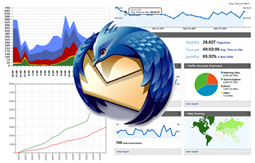
7 Email Visualizations for Thunderbird

13 Nov

Now that I have all my old email in one place, my next project will be to create some visualizations to start analyzing it. What do I mean? I’m talking about graphs, charts, tables, heatmaps, grids, networks, etc that illustrate patterns in the email. For example – I have roughly 40,000 emails (closer to 20,000 or so were sent by an actual human, and fewer still were sent only to me – but I don’t know for sure and thats part of the problem). My goal is to have a set of Thunderbird plug ins that will allow me see patterns like these. These are 7 visualizations I think Thunderbird (or Gmail) needs. If I get a lot of interest, I might actually build them so let me know what you think in the comments (no registration needed but I do moderate so it might not show up right away). Read the rest of this entry »